Here are the step to kill some virtual machine with command line in vmware.
1. Go shell to your vmware
# ssh
2. List all available machines
# vim-cmd vmsvc/getallvms
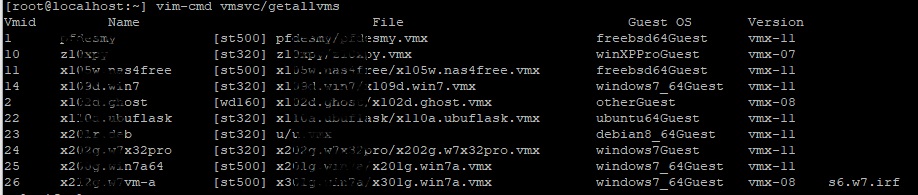
3. Write down the number on the left column
I choose number 36.
4. Kill the vm.
Replace thenumber with number 36.
# vim-cmd vmsvc/power.off thenumber

5. Here is the way to resurrect it
# vim-cmd vmsvc/power.on thenumber