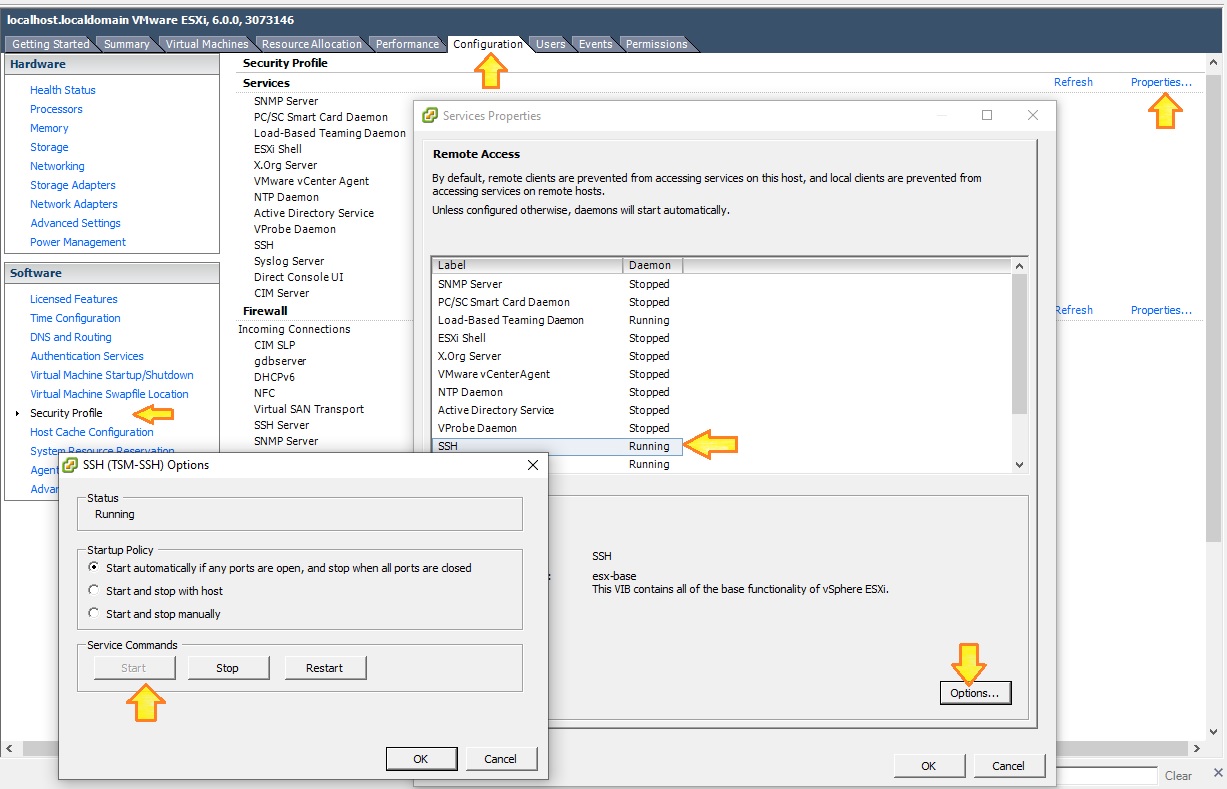
1. SSH into your ESXi host
2. create a directory to hold your new clone
#mkdir /vmfs/volumes/datastore1/Host2
3. Clone your Host1 VM to Host2.
Remember: time is your friend when coffee is in your hand
#vmkfstools -i /vmfs/volumes/datastore1/Host1/Host1.vmdk /vmfs/volumes/datastore1/Host2/Host2.vmdk -d thin
4. Register the VM in ESXi
# vim-cmd solo/registervm /vmfs/volumes/datastore1/Host2/Host2.vmdk
5. Create new VM in vSphere, use existing disk